
Smash Game example
This page is an annotated walkthrough of the Rock Smash example game located in examples/smash-game/. It demonstrates a complete GO3 integration using the Rollerz SDK and rollerz-framework.
Play the Demo
Try the live Rock Smash game — a full GO3 betting flow with the Rollerz Framework UI.
Project structure
examples/smash-game/
├── index.html      # Game HTML — layout, rocks, bet selector container
├── host.html       # Platform host demo — embeds the game in an iframe
├── game.js         # Game logic (session, betting, animation)
├── style.css       # Game styles
├── favicon.svg
└── package.json    # Build config (tsup bundles game.js → dist/)
HTML setup
The game's index.html is a single view: the game screen markup (no separate landing step).
Script tag
The SDK is loaded in <head> via a single script tag:
<head>
  <script src="https://test.rollerz.dev/sdk"></script>
</head>
In production, replace this URL with the production SDK server URL. See Environments for the full list.
Layout
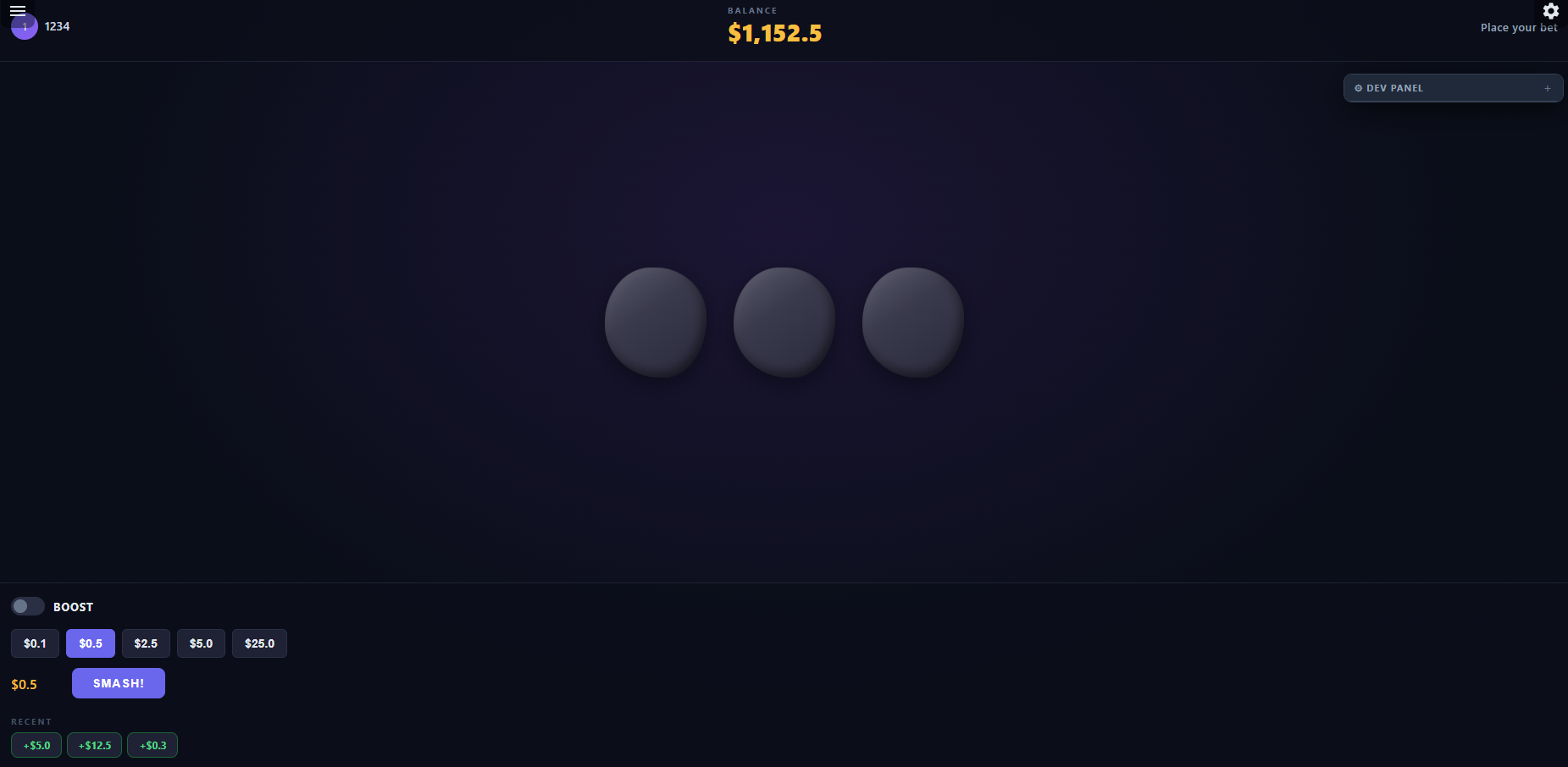
The page contains:
- A top bar with the game menu container, player info, balance display, and round status
- The rocks area with three smashable rocks
- A result overlay for showing win/loss after each round
- The bet selector container (populated by
rollerz-framework) - A history strip showing recent round outcomes
SDK initialization
On load (DOMContentLoaded), the game runs startGame(), which initializes the SDK with logging enabled and platform event handlers:
await sdk.init('rock-smash', {
  platformEvents: {
    mute: function (data) {
      audioMuted = !!(data && data.muted);
      if (audio) audio.setMuted(audioMuted);
    },
    print_hi: function (data) {
      console.log('print_hi', data.message);
    },
  },
  enableLogging: true,
});
Key points:
'rock-smash'is the game IDenableLogging: trueoutputs[RollerzSDK]-prefixed messages to the browser consoleplatformEventsmaps host platform messages to callbacks, keyed bydata.type— here,mutetoggles audio. The handler receives the full flat message ({ type: 'mute', muted: true }), so top-level fields likemutedare read directly.
Opening a game session
After init, the game opens a GO3 session to get balance, currency, and chip levels:
let session = await sdk.go3.openGame();
currency = session.currency;
updateBalance(session.balance);
The session.currency object (prefix, suffix, decimal, precision, grouping) is passed to framework components for consistent formatting.
Player label (getUser)
After the session is open, the game calls await sdk.getUser() (via a small refreshPlayerFromServer() helper) to read playerAlias from the SDK server and update the top bar name and avatar initial. The same helper runs again after a successful bet and after collect, so session-backed fields stay in sync when the RGS returns them on later responses. If getUser is unavailable or fails, the UI falls back to Player and logs a warning.
See Core SDK functionality for the full getUser() API and User shape.
Framework integration
The smash game uses three rollerz-framework features:
Bet selector
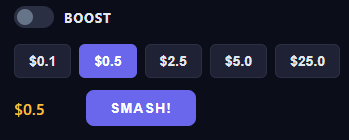
betSelector = framework.createBetSelector({
  container: document.getElementById('betSelector'),
  currency: session.currency,
  betTypes: sdk.go3.getBetTypes(),
  defaultBetType: sdk.go3.getDefaultBetType(),
  getValidBets: (betType) => sdk.go3.getValidBets({ betType }),
  actionLabel: 'Smash!',
  onCommit: ({ amount, betType }) => smash(amount, betType),
  defaultBet: session.defaultBet,
});getValidBetsis called whenever the bet type changes, refreshing the available amountsonCommitfires when the player clicks "Smash!" — it receives the selected bet amount and bet type- The selector is disabled during rounds with
betSelector.setDisabled(true)and re-enabled after collect
Game menu
gameMenu = framework.showGameMenu({
  container: document.getElementById('gameMenuContainer'),
  helpContent:
    '<p><strong>Rock Smash</strong></p>' +
    '<p>Place your bet, then smash the rocks! Crush 1, 2, or 3 rocks. ' +
    'Find a gem for a multiplier bonus.</p>' +
    '<p>Use BOOST for higher stakes and bigger wins.</p>',
});
This adds a hamburger menu with a help overlay that explains the game rules.
Dev panel
framework.createDevPanel({
  providers: [{ name: 'GO3', provider: sdk.go3 }],
});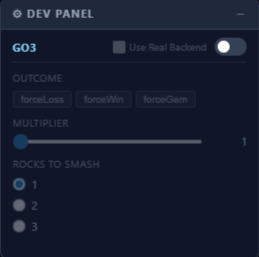
When the GO3 toggle is enabled, bets bypass the real RGS entirely. The dev panel controls let you force specific outcomes:
- Outcome:
forceLoss,forceWin,forceBonus(multiselect) - Multiplier: Slider from 1x to 5x
- Count: Radio buttons for 1, 2, or 3 (how many items to hit — rendered as rocks in the smash game)
This is defined in the GO3 provider's devConfig — see Framework guide — Dev Mode for details.
Currency formatting
The game uses framework.formatAmount throughout to display monetary values:
function updateBalance(cents) {
  document.getElementById('balance').textContent = framework.formatAmount(cents, currency);
}
The same function is used in the result overlay and history strip. It handles the cents-to-display conversion using the currency's precision, prefix, suffix, and grouping settings.
Game loop
The core game flow is:
Player clicks "Smash!" → placeBet → animate rocks → show result → collect → reset1. Place bet
let result = await sdk.go3.placeBet(amount, { betType });
updateBalance(result.balance);
The result contains count, hasBonus, multiplier, totalWinAmount, totalBetAmount, and roundId.
2. Animate
The game shakes all three rocks, then reveals which are crushed (with debris particles) and whether a gem was found:
await animateSmash(result.count, result.hasBonus);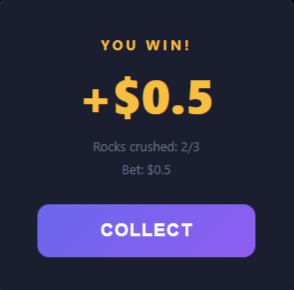
3. Show result and collect
An overlay shows the outcome. When the player clicks "COLLECT":
let collected = await sdk.go3.collect(lastRoundId);
updateBalance(collected.balance);
After collect, rocks reset, the bet selector is re-enabled, and the player can start a new round.
4. History
Each round result is added to a history strip showing the last 5 outcomes:
function addHistory(win, amount) {
  roundHistory.unshift({ win: win, amount: amount });
  if (roundHistory.length > 5) roundHistory.pop();
  renderHistory();
}
Host embedding
The host.html file demonstrates how a platform can embed the game in an iframe and communicate with it via postMessage. It also includes a small launch panel that simulates how a real platform like Rollerz hands off ?server= and ?session= URL parameters at game launch.
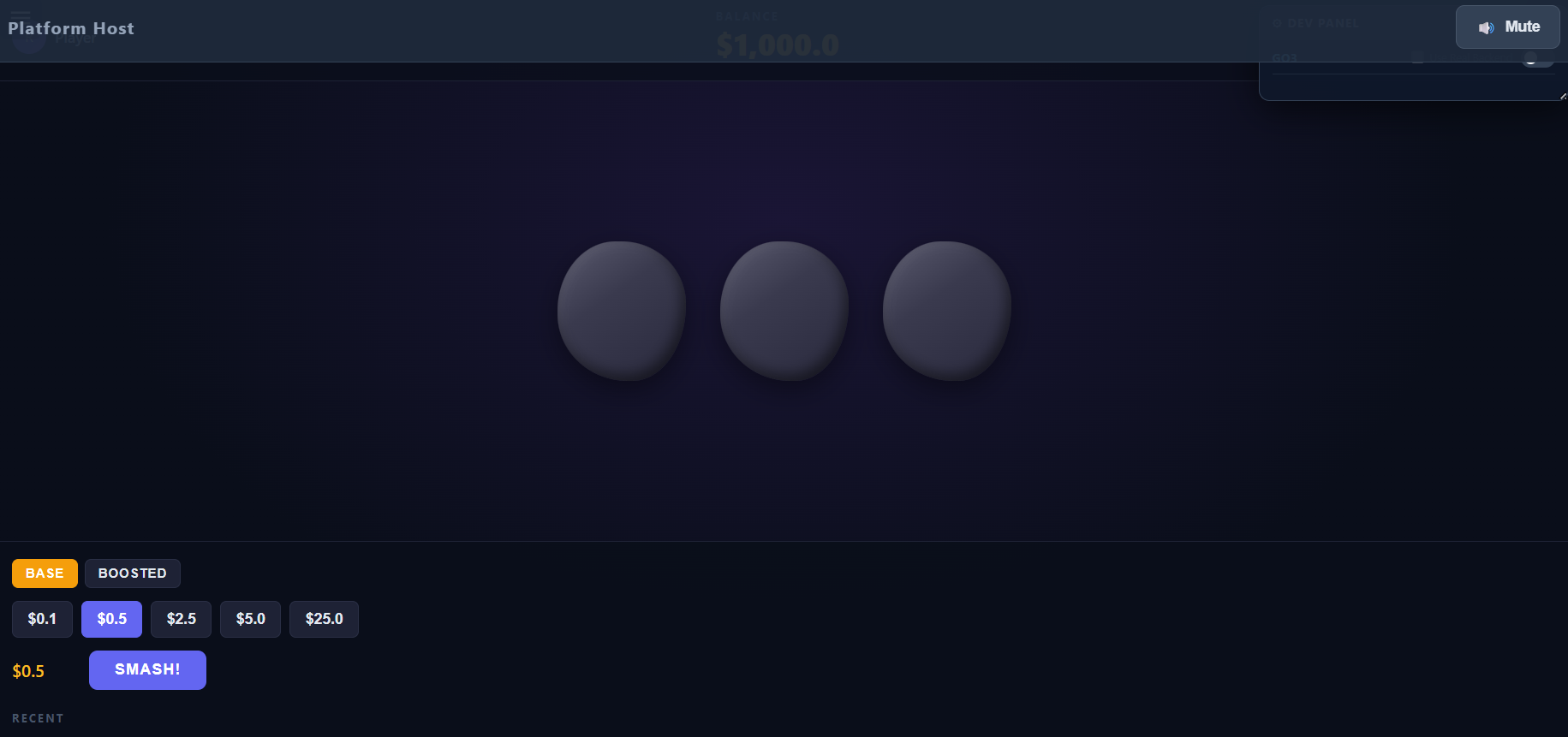
Launch panel
Two text inputs in the platform bar let you exercise both modes:
?server=— leave blank to fall back to the provider's configured default; fill in a math server URL to override it for this launch.?session=— leave blank to let the SDK auto-mint and store a dev session; fill in a token to simulate one issued by Reelsoft.
The Launch button rebuilds the iframe src with whichever params are populated. The Empty launch button clears the inputs and reloads the iframe with no params (proves the standalone fallback). Default behavior on first paint is empty launch.
function buildSrc(params) {
  var qs = Object.keys(params)
    .filter(function (k) { return params[k]; })
    .map(function (k) { return encodeURIComponent(k) + '=' + encodeURIComponent(params[k]); })
    .join('&');
  return './index.html' + (qs ? '?' + qs : '');
}

btnLaunch.addEventListener('click', function () {
  gameFrame.src = buildSrc({ server: inServer.value.trim(), session: inSession.value.trim() });
});
Platform events
The host sends platform events as flat postMessages — each message has a type string and whatever extra fields the event needs, all at the top level:
function sendToGame(type, fields) {
  gameIframe.contentWindow.postMessage(
    Object.assign({ type: type }, fields || {}),
    'https://staging.rollerz.gg' // must be an allowlisted origin; target must match too
  );
}

// When user clicks the mute button:
sendToGame('mute', { muted: true });
The game's platformEvents handler (set during sdk.init) receives the entire message object ({ type: 'mute', muted: true }) and toggles audio accordingly. The SDK only dispatches messages whose event.origin is in the build-time PLATFORM_ORIGINS allowlist — for local development, include your parent's origin (e.g. http://localhost:3000) when building the SDK. This pattern works for any platform-to-game event: mute, pause, resize, custom events.
GP variant
The example includes a GP (Generic Provider) variant in game-gp.js and index-gp.html. This version connects to an external math server instead of using the built-in GO3 provider, demonstrating how the same game can run against any compatible RGS.
Key differences from the GO3 version
Server URL from query parameter:
The GP variant lets you point at different math servers without changing code. You can either rely on the SDK's built-in ?server= parsing — same parameter the host platform uses at launch — or read a custom param yourself:
// Either: pass ?server=https://… in the URL and the SDK picks it up automatically.
// Or: read a different param yourself (legacy pattern still supported as a fallback):
const params = new URLSearchParams(window.location.search);
const serverUrl = params.get('serverUrl') || 'http://localhost:8080/mock';
Opening the session:
GP needs a serverUrl from somewhere — the launch URL (?server=) or the explicit openGame argument — and always needs internalClientCode from openGame (the launch URL doesn't carry it). The launch URL wins over an explicit option when both are present.
let session = await sdk.gp.openGame({ serverUrl, internalClientCode: 'go3' });If the math server serves on a path other than the default /gameevent, pass the path parameter:
let session = await sdk.gp.openGame({
  serverUrl,
  internalClientCode: 'go3',
  path: '/gameevent/v2',
});
Registering bet types:
Unlike GO3, GP ships with no predefined bet types — the set of bet types a GP session understands is decided per-deployment by whatever math server you're pointing at. GP is happy to run as a pure pass-through: you can call sdk.gp.placeBet(amount, { betType: 'WHATEVER' }) directly and the string is forwarded to the math server unchanged, no client-side allow-list.
But the smash-game GP variant uses the framework's bet selector, which needs a non-empty getBetTypes() list to render its segmented control and render a valid BASE / BOOSTED toggle for the player. So the variant opts in by calling configureBetTypes before openGame():
sdk.gp.configureBetTypes(['BASE', 'BOOSTED'], {
  defaultBetType: 'BASE',
  boostedBetType: 'BOOSTED',
});
The GP variant connects to a GO3-compatible math server, so it registers the same ['BASE', 'BOOSTED'] pair that the GO3 provider exposes natively. The boostedBetType option is what makes the legacy { boosted: true } sugar work — if you leave it out, callers must pass betType explicitly on every placeBet.
After configureBetTypes, GP behaves exactly like the predefined providers: sdk.gp.getBetTypes() returns the registered list, the bet selector renders it, and any unknown betType string passed to placeBet throws a client-side "invalid betType" error before touching the network. See the gp.configureBetTypes API reference for the full signature.
Extracting results from the math passthrough:
With GO3, result fields like count and multiplier are returned directly. With GP, the raw math server response is nested inside result.math, so the game must extract them — and note that the math server's wire field names are preserved verbatim, so a GO3-compatible server still sends rocksCrushed here (the rename to count only happens in sdk-server for the native GO3 route):
// GO3 version — fields are top-level:
result.count;
result.multiplier;

// GP version — extract from the wire payload and re-alias into the
// GO3-compatible shape the rest of the game expects:
let details = result.math?.details || {};
result.count = details.rocksCrushed || 0;
result.multiplier = details.multiplier || 0;
result.hasBonus = result.multiplier > 1;
Everything else — the framework integration, bet selector, animations, and collect flow — remains identical to the GO3 version.