
SDK Provider Playground
This page walks through the SDK Provider Playground in examples/playground/. It is a small developer UI for exercising Go3, Stepper, RippinRumble, and GP against a chosen SDK server, with timed API logging and a multi-provider dev panel.
Open the Playground
Use this when you want to call provider APIs interactively (init, open game, bet, step, collect) without building a full game shell.
Project structure
examples/playground/
├── index.html      # Layout — server/provider picks, session + actions + log
├── game.ts         # Playground logic (providers, tracked calls, dev panel)
├── style.css
├── Dockerfile      # nginx static bundle + proxy to SDK (see below)
├── nginx.conf
├── entrypoint.sh
└── package.json    # tsup bundles game.ts → dist/game.js
Choosing an SDK server
The page loads the SDK from a URL controlled by the sdkEnv query parameter:
- No parameter (default) — uses the public testing SDK host (Environments).
?sdkEnv=https://…— loads…/sdk/sdk.global.jsfor a custom backend.
The SDK Env control in the header mirrors this: pick Staging (clears the parameter) or Custom and enter a base URL, then press Enter to reload.
Flow overview
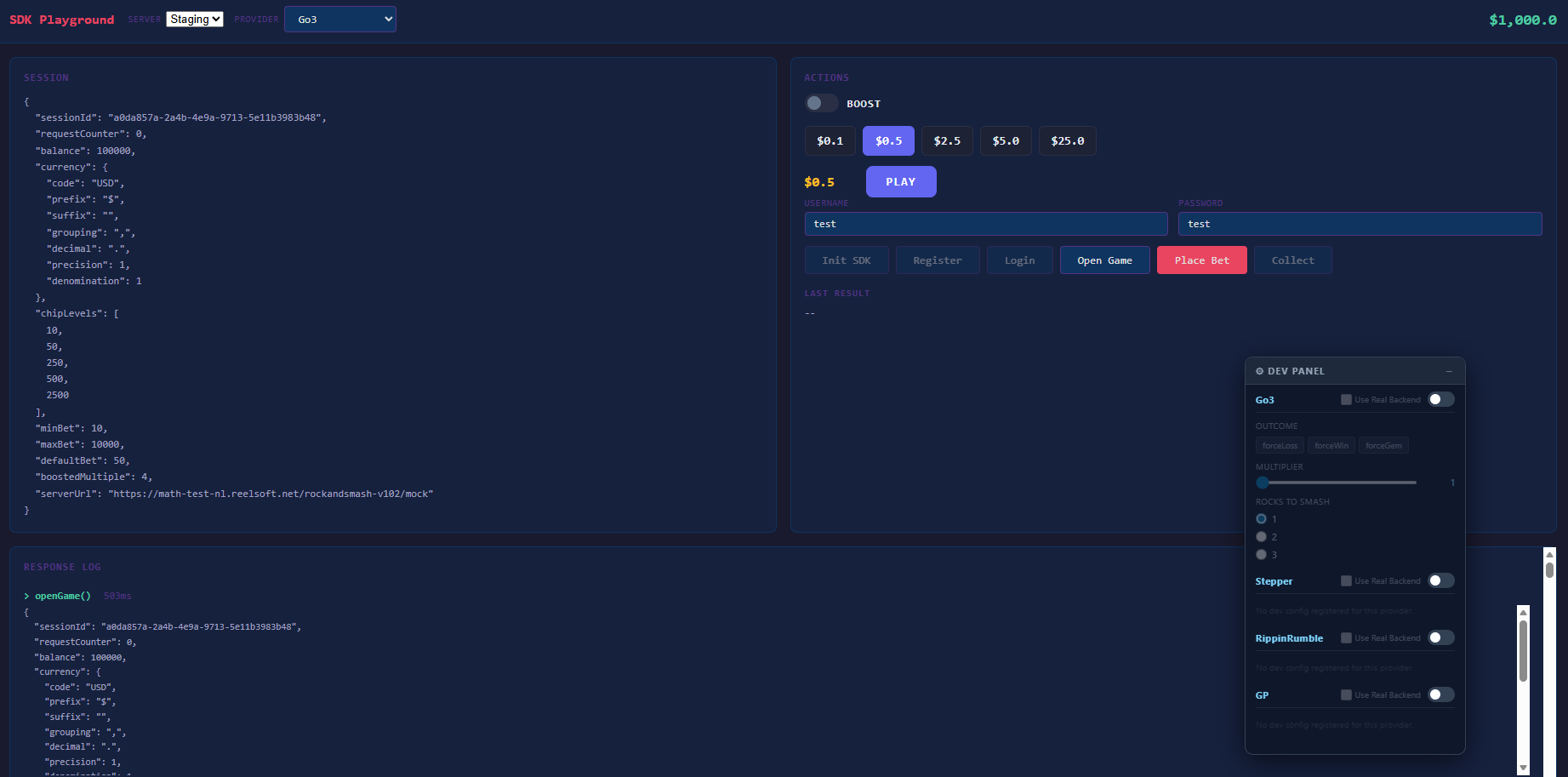
- Init SDK —
sdk.init('playground', { enableLogging: true }) - Open Game —
provider.openGame(...)for the selected provider - Place Bet — use the framework bet selector, or Step / Collect where the provider requires it
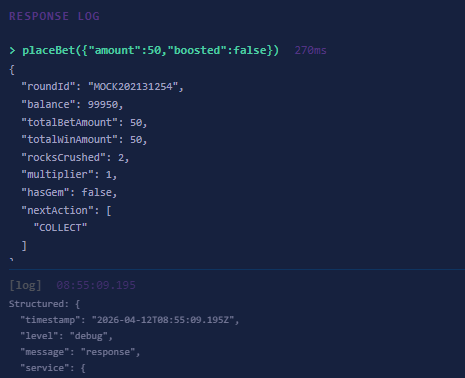
Session JSON, last result JSON, and a Response Log show raw return values and timings. Console output from the SDK is mirrored into the log panel.
SDK initialization
await sdk.init('playground', { enableLogging: true });enableLogging: true prints [RollerzSDK]-prefixed messages to the browser console (see Logging).
Dev panel
After init, the playground creates a dev panel with every built-in provider so you can toggle dev-mode behavior per provider:
createDevPanel({
  providers: [
    { name: 'Go3', provider: sdk.go3 },
    { name: 'Stepper', provider: sdk.stepper },
    { name: 'RippinRumble', provider: sdk.rippinrumble },
    { name: 'GP', provider: sdk.gp },
  ],
  position: 'bottom-right',
});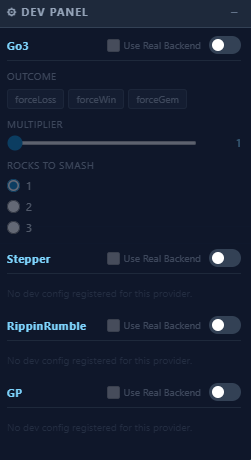
See Rollerz Framework — Dev Mode for what the panel controls.
Provider selection
The Provider dropdown switches go3, stepper, rippinrumble, or gp. Changing it clears the current session and calls Open Game again for the new provider.
Go3, Stepper, RippinRumble
Open Game calls provider.openGame() with no extra options. The playground then builds a bet selector from @rollerz/framework:
getValidBetsdelegates to the active provider.- Place Bet runs
placeBet(amount, boosted)on that provider.
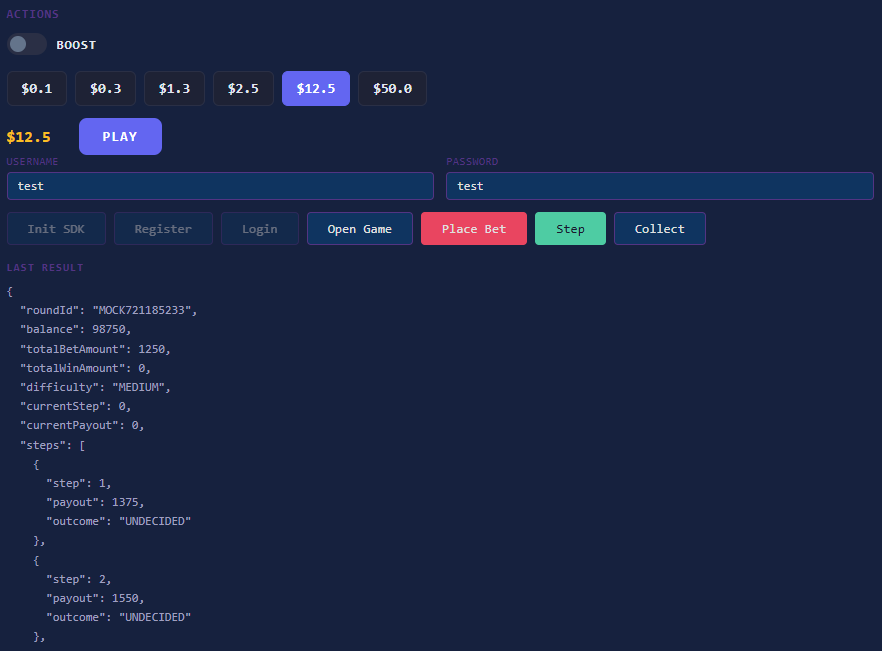
For Stepper, a Step button appears and calls sdk.stepper.step(lastRoundId) while a round is in progress. Collect calls provider.collect(lastRoundId) when applicable.
GP (Generic Provider)
When GP is selected, fields for Server URL and Client Code are shown. Open Game requires both and passes them through:
await sdk.gp.openGame({ serverUrl, internalClientCode });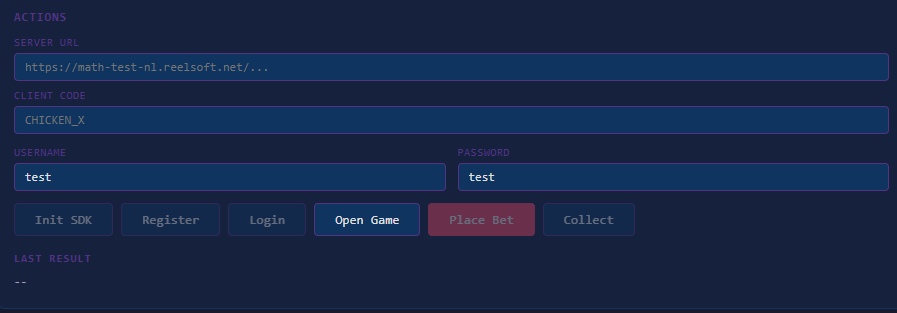
Use values supplied by your math/RGS environment. If the server uses a non-default path, you can extend the playground or call openGame with a path option from your own code (see Smash Game — GP variant).
Framework helpers
The playground uses createBetSelector, formatAmount from @rollerz/framework, and wraps each SDK call in a small tracked() helper that records duration and JSON output in the Response Log.
Related docs
- Game building guide — bets, results, and game loop concepts
- Smash Game example — full GO3 game UI and animations
- Rollerz Framework — bet selector, dev panel, formatting